



ACCOUNT
Verification status
See whether phone confirmation or another account check remains open. This page explains what the current status means before you enter the cashier or request a withdrawal.
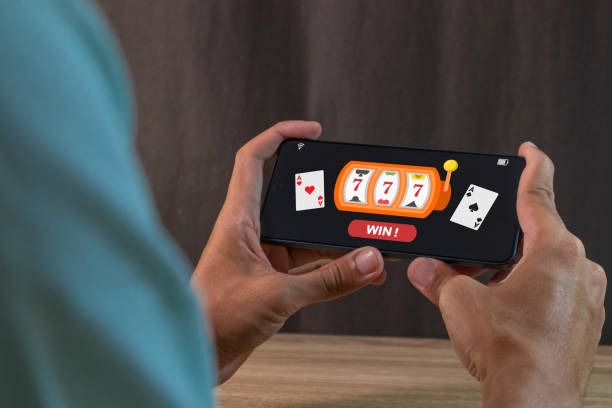
joswin brings Live Roulette Diamond, Papua Paradise Slots and football markets into one account with DANA and QRIS close to the lobby.

Slots sit beside live dealer tables, crash rounds, fishing rooms and sportsbook markets, helping you change categories without restarting your session.
Pragmatic Play, PG Soft and Habanero sit alongside several familiar studios, giving you recognisable slot, table and arcade choices from one lobby.
DANA, OVO, GoPay and QRIS appear as named wallet choices, so you do not need to guess which cashier route matches your phone.
Five home-page routes answer common questions before they interrupt a session. You can inspect account checks, game rules, wallet status, current offers and policy pages from permanent navigation…
See whether phone confirmation or another account check remains open. This page explains what the current status means before you enter the cashier or request a withdrawal.

Open category rules and title-specific controls before joining a round. Live Roulette Diamond and Spaceman Crash Play each present different timing, input and result displays.

Check whether DANA, OVO, GoPay, QRIS, bank transfer or virtual account is currently shown. Receipt and transaction states remain attached to the relevant cashier entry.

See which casino or sportsbook offers are currently displayed for your account. Conditions appear beside each entry, allowing you to read eligibility and usage requirements first.
Four checks help you understand our home page before opening an account. Start with phone verification, confirm which lobby categories appear for your location, inspect the cashier path…
Support starts from the home-page help area, where you can choose live chat or email without opening a game. For faster account checks, keep your phone number and the relevant transaction reference ready, but never send a password or verification code. Current channel availability is displayed in the help panel. Mobile help uses the same route as the phone cashier, keeping receipt and wallet questions close to transaction history.
Use live chat for access prompts, wallet states or a transaction that needs checking. The help panel shows whether an agent is currently available before you begin.
Email suits cases requiring a receipt or longer explanation. Include the transaction reference, payment method and request date, but leave passwords and verification codes out.
Open help from the account or cashier menu on your phone. This keeps the relevant status screen nearby while you describe a login or payment issue.
Our phone-browser layout keeps account access, wallet status and lobby categories in a single vertical path.

Phone verification creates a clear checkpoint before account access, while session controls help you manage shared or unfamiliar devices.
Complete the code step through the account screen before access. If confirmation stalls, return to the same screen or contact live chat through the help area.
Close your session when leaving a shared phone or computer. Re-enter through the main access page rather than following credential requests sent through unrelated messages.
Your profile shows whether contact or identity checks remain pending. Complete requested verification before a withdrawal so the cashier can match the request to your account.
Read the rules, timing and available controls attached to each title. Slots, live tables, crash games and sportsbook markets do not use the same result process.
Searching separate pages or relying on offline recommendations can leave key details disconnected from the account you actually use.
Home links account creation, phone verification and later access in sequence. Scattered sources may omit which step comes before the cashier becomes available.
Lobby categories place slots, live casino, fishing, crash games and sports together. Offline suggestions rarely show whether a title is currently visible for your account.
The cashier displays DANA, OVO, GoPay and QRIS states against your account. External payment descriptions cannot show the status of your own request.
Bank transfer and virtual account routes include BCA, BRI, Mandiri and BNI context where displayed. This reduces confusion between wallet and bank-based steps.
Home links directly to our current terms, privacy wording and location conditions. Saved or printed material may not reflect the page currently attached to your account.
Live chat, email and mobile help remain connected to the account area. Informal recommendations cannot inspect a transaction reference or verification state for you.
Different game categories use different result systems, timing and rule displays. We place title details and controls close to the entry screen so you can inspect them before joining.

Check the title panel for published RTP, paylines, feature rules and stake controls.

Live Roulette Diamond shows table rules, betting windows and result history within the table interface before…

Spaceman Crash Play uses round timing and a changing multiplier display.
Fishing War Arcade presents weapon, target and scoring controls within the game.
Football, badminton and basketball markets display selections, prices and settlement wording on their event pages before…
RTP percentages are informational reference values from provider documentation. Actual session outcomes vary.
Our home page is configured for Indonesia, including DANA, OVO, GoPay, QRIS and local bank context. You can reach the browser lobby from Yogyakarta on a phone, tablet or computer, but account access and game availability depend on local law. Location prompts may appear before account entry or a restricted category. If a route is unavailable, use the help area to ask about the displayed message rather than trying an unrelated access path.
The strongest reasons to use our home page are visible before you enter a round.
These answers cover what you can see from the joswin Home page before opening an account, including lobby access, local payment rails, mobile behaviour and support. We also explain phone verification, withdrawal checks and where policy wording sits. If your screen shows a different account or location message, use the visible help route because access depends on local law.
Begin at the account menu if you need to create access or check phone verification.
Open the account area, enter the requested details and complete phone confirmation. Return here whenever you need to inspect verification or session status.
Use category tabs or search to find slots, live tables, crash games, fishing rooms and sports. Open a title card to check its rules.
Choose DANA, OVO, GoPay, QRIS, bank transfer or virtual account only from the cashier. Follow the confirmation screen and retain your receipt.
Use the help area for account or transaction questions, and the footer for terms and privacy wording. Eligibility depends on local law.